AI Tools & Productivity
Stop Retyping Things That Are Already on Paper
Every AI app has a camera button. Most people have never pressed it. Here's what it actually does — and where it's genuinely useful for a trade or service business.
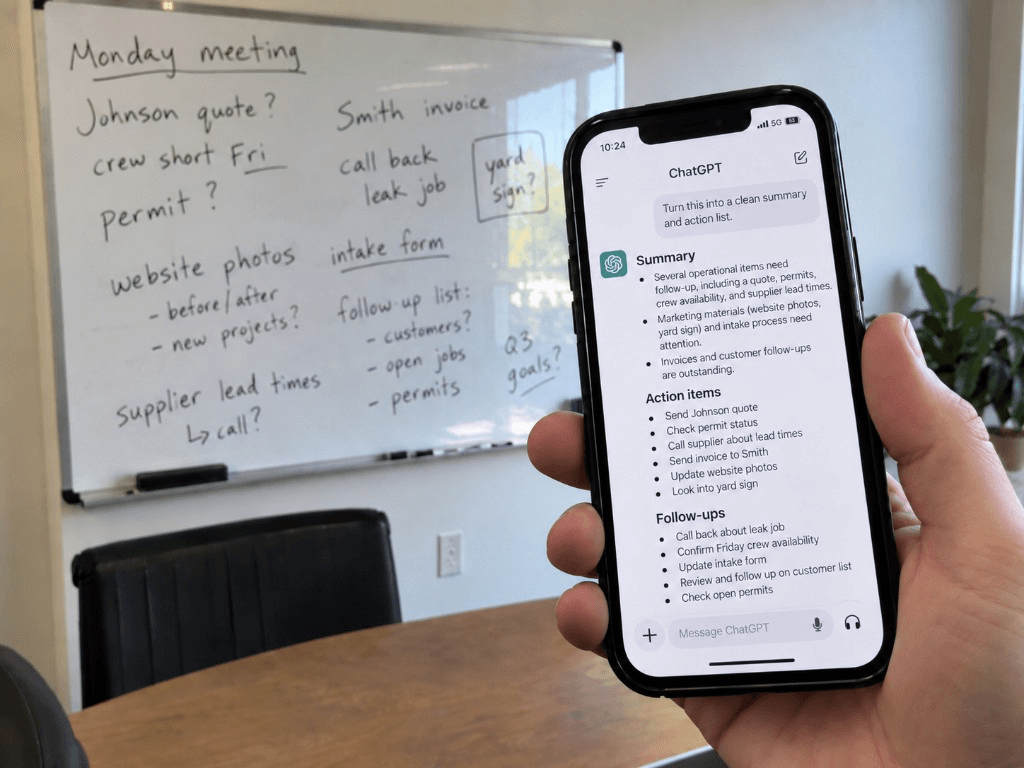
The button next to the microphone
Talking averages about 150 words a minute. Typing averages about 40. That gap is why the microphone icon on every AI app is worth using — but there's a second button sitting right next to it that gets even less attention.
The camera button.
You can take a picture of something and ask about it. Not a scan, not a special app, not a subscription to anything new. Point your phone at a thing, take the photo, ask a question about it.
Here's exactly what it's good for.
Handwritten anything
Take a photo of your notes from a site visit or customer call, or a scribbled estimate on the back of a job sheet. Ask it to type that up properly.
This is the one worth trying first, because everyone has some version of it. Notebooks full of things that never made it into a system. Notes from a meeting three weeks ago that you meant to write up.
It reads bad handwriting better than you'd expect.
Receipts, invoices, and bills
Photograph a stack of receipts and ask it to list them with dates, vendors, and amounts. Ask it to total the amounts by category.
Photograph a supplier invoice and ask what changed compared to the last one.
Take a photo of your utility bill. Then ask what each charge is for — many bills are hard to read on purpose.
Parts, equipment, and things you don't recognize
Photograph a fixture, a fitting, a part number, a piece of equipment. Ask what it is, what it's for, what people typically call it, and what a replacement costs.
This is genuinely strong for trades and auto. Not necessarily good for finding something obscure — but it's great for understanding what you're looking at and what to search for.
Same goes for a spec plate or a label. Photograph it and ask what the numbers mean.
A page of a contract
You don't need to upload the whole document. Photograph the page you're stuck on and ask what it means in plain English.
The same limits as always apply. It is not legal advice, and anything serious still goes to a lawyer. But for the ordinary question of what a paragraph is actually saying, a photo and a question takes ten seconds.
Competitors' marketing
Photograph a flyer, a van wrap, a mailer, a sign, a menu. Ask what makes it work, who it's aimed at, and what it's trying to get someone to do.
It's the same idea as pulling up a competitor's online ads — just aimed at the physical marketing most local businesses still rely on more than digital.
A whiteboard or a form
Photograph a whiteboard at the end of a meeting and ask for it as a clean list.
Photograph a paper form and ask for a fillable version of the form that you can fill in and send.
How to actually do it
In ChatGPT, Claude, or Gemini on your phone, there's a camera or paperclip icon next to where you type. Tap it, take the photo or pick one from your roll, then type your question.
One useful habit: ask a question rather than just sending the photo. Sending a picture with no question gets you a description of the picture, which is useless. "Type this up as a clean list" or "what is this part and what does a replacement cost" gets you something worth having.
Where it falls down
Three honest limits.
It's genuinely good at this, but check the totals anyway. A wrong figure that looks right is worse than no figure at all.
It will guess confidently about parts. If it gives you a model number for something rare, treat it as a starting point for your search, not the final answer. It does not know when it's unsure.
Don't photograph anything with someone's personal information in it. Patient records, signed documents with customer details, anything with card numbers. Same rule as always — business information is fine, an individual person's private information is a different category.
The thing worth noticing
You don't need to type much anymore. A microphone and a camera can pull information out of your own head or off a piece of paper just as easily as out of a keyboard.
This is the same shape as the first workflow most businesses should automate: frequent, rule-based, and mechanical enough that a person shouldn't be the one retyping it. The barrier was never that these tools couldn't do it. It was that the buttons are small, unlabeled, and nobody tells you what they're for.
Try one this week. Photograph the messiest page of notes you have and ask it to type them up. Ten seconds — and it's the kind of thing that changes how you handle paper from then on.
Keep reading
Guide
The Question Your Office Answered Five Times This Week
A homeowner calls about an install quote. Then another texts about the warranty. Someone else wants to know what happens after the inspection. Your team knows the answer. It may live in the estimator’s head, an old text thread, or the office manager’s memory — so someone stops, checks the details, and types it again.

Guide
The AI Slowdown Debate — and What It Means for Your Business
Washington turned down requests from AI leaders to slow down. Markets fell, and paying customers filed lawsuits. Plus an AI that speaks 97 languages.
Guide
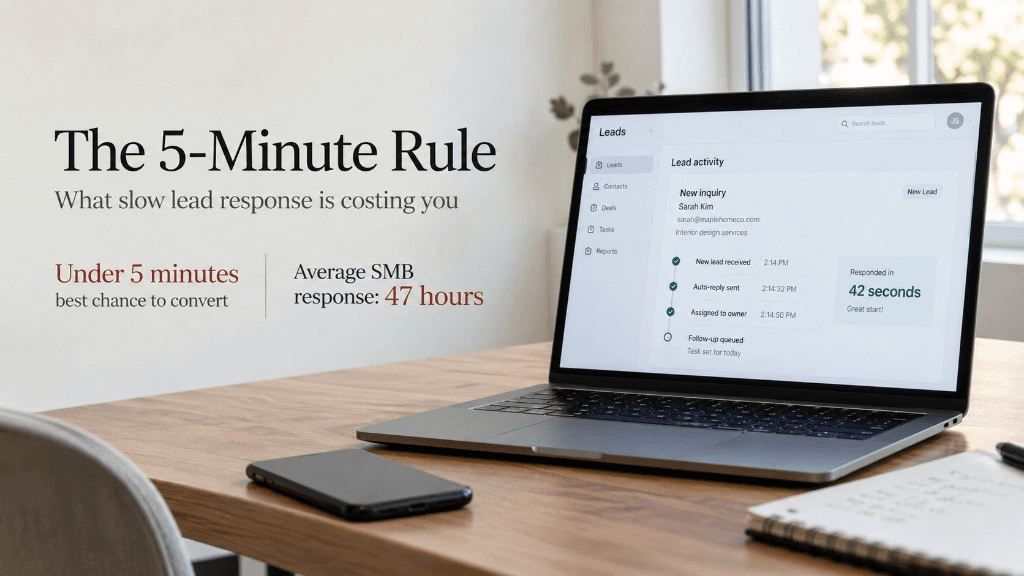
The 5-Minute Rule: What Slow Lead Response Is Costing Your Trade Business
Leads contacted within 5 minutes are 100x more likely to book than leads contacted after 30 minutes. Most contractors take days, not minutes. Here's what that gap is actually costing you — and how to close it without hiring anyone.
Let’s find the hours.
Bring your last ten quotes and a normal week off the schedule. Forty-five minutes is usually enough to see where it’s going.